Youth soccer stats for parents
Track your kid’s soccer stats, one game at a time.
Tap the goals, assists, shots, and subs from the sideline, and PlayState turns them into stats: every player’s minutes and goals on your team’s page, and a profile for your kid that follows them from team to team.
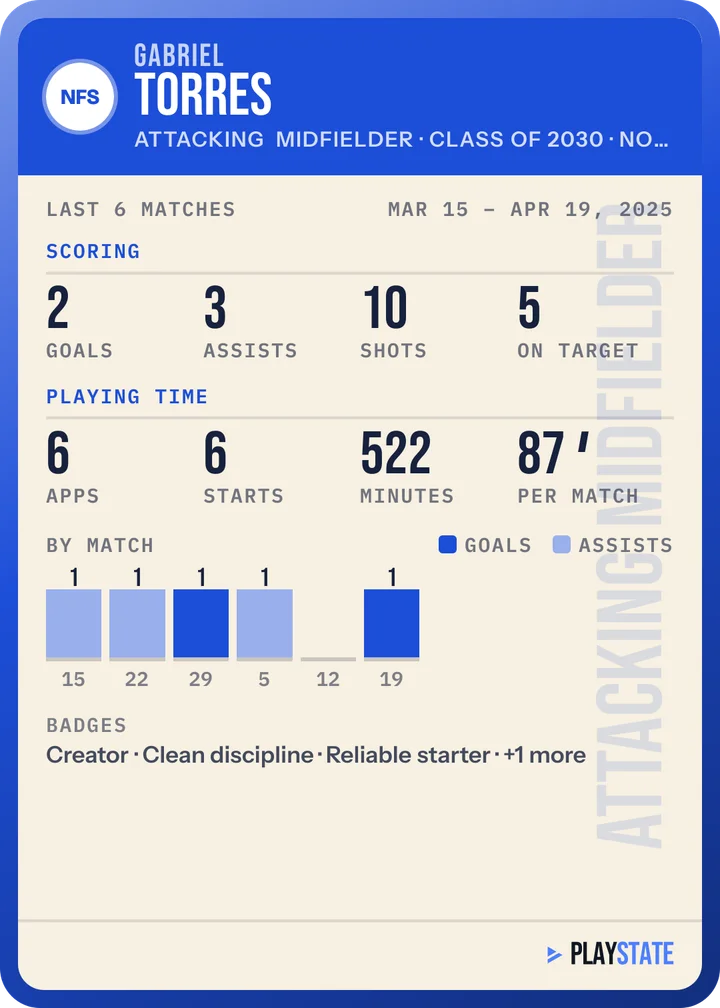
Goals, assists, minutes, and the chances behind them.
- Appearances, minutes, goals, assists, shots, and cards for every player
- Totals across your team’s games, or per 90 minutes to compare players who play different amounts
- Shot maps and expected goals (xG), which show whether to work on getting better chances or on finishing the ones they get
Someone logs the game.
PlayState counts what’s logged in it, so the stats start when someone on your team logs the games: a parent or coach with a Team Hero plan. They know every player, so each goal and assist goes to the right kid.
- Log the games yourself from the sideline, or ask whoever runs the team
- Follow the team with a free account to see every player’s stats
- Missed a goal or an assist? Add it later and the stats update
One profile that follows them.
Make an athlete profile for your kid with a Team Hero plan, then connect their games from each team they play for. The team doesn’t need to approve it.
- Every game they played, with their goals and assists
- Their last 10 games per 90 minutes beside their team’s, to see what they do best and what to work on
- A shot map of where their chances came from
- An athlete card with their stats to share with friends, family, coaches, and recruiters
The stats come from games logged in PlayState. If nobody on your team logs yet, you can do it yourself with a Team Hero plan, from $6.99 a month or $48.99 a year, or send this page to whoever runs the team.
Following a team and seeing its players’ stats. Logging games and making your kid’s athlete profile need a Team Hero plan, from $6.99 a month or $48.99 a year, which covers 3 teams and 3 athlete profiles.
Anyone you send a live game link sees that game in full, player names included, so share it as you would any link to your kid’s games. Elsewhere in PlayState, player names appear only to signed-in people with access to that player. Live game and team pages are kept out of search engines. An athlete profile is private until you make it public, and a public profile opens only for people signed in to PlayState.
You choose the level of detail. Start with key moments, then add players, assists, locations, substitutions, and notes as you get comfortable. The analysis reflects what you record; unlogged events won’t appear in the stats.
They’re logged by someone at the game who knows the players, usually a parent, so each goal, assist, and shot goes to the right player. The stats show what was logged: an event nobody logged won’t appear, and anything missed or wrong can be fixed after the game.
Yes. Add a missed event or edit a recorded event and its game time. The game stats update from the corrected events.